视图控制
聊聊摄影:怎么像专业人士一样控制镜头?方寸绘境最厉害的地方,就是这套严格参考物理光学的 3D 摄影系统。在这里,你可以像在真实片场一样,通过微调焦距、方位和距离,手动复刻出任何你想要的电影级分镜。
选对镜头(焦距)是成功的一半
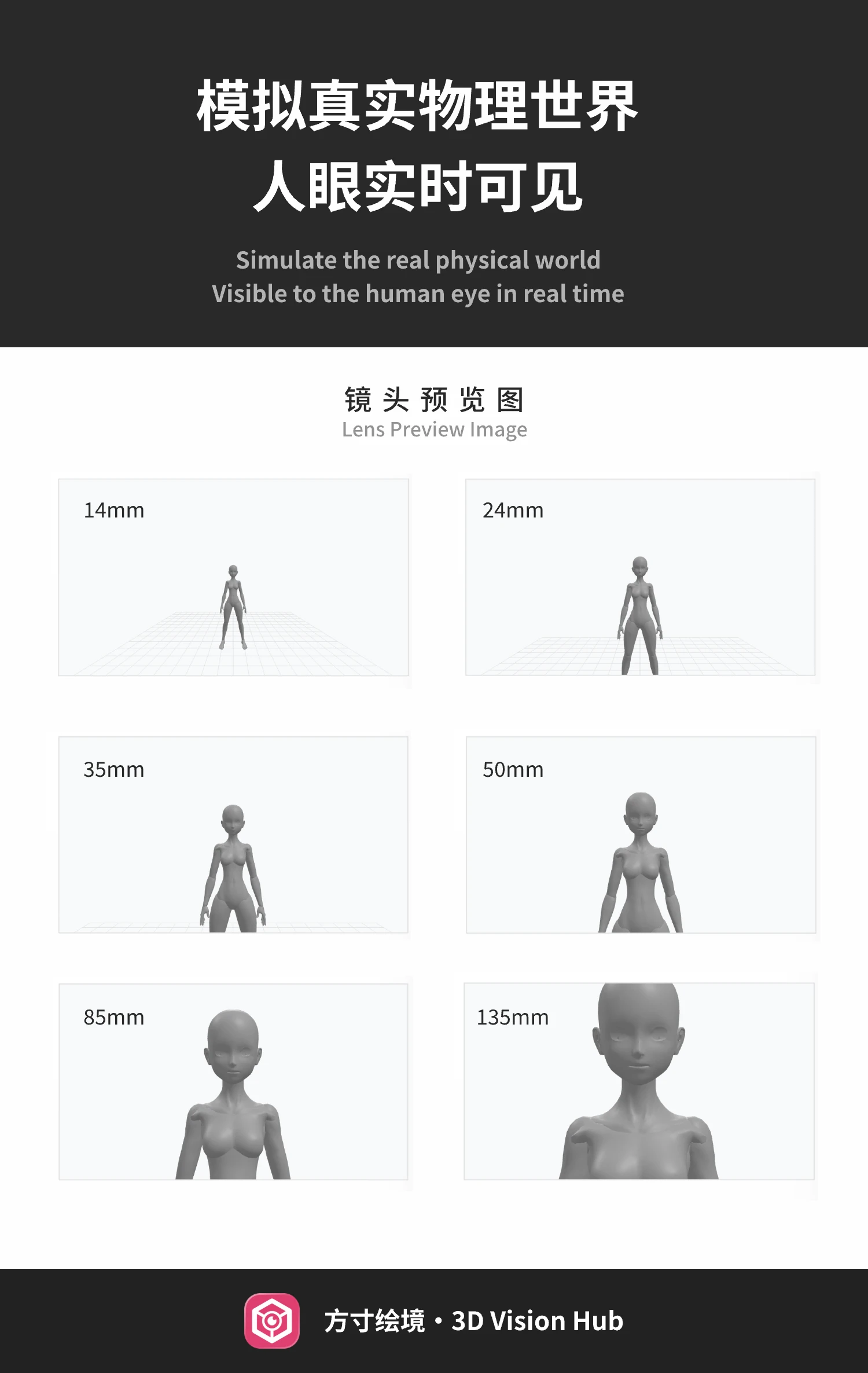
我们模拟了从 14mm 到 135mm 的真实物理焦距。焦距可不仅仅是改变视野大小,它更直接决定了画面的“呼吸感”:
- 14mm - 24mm (超广角):透视被极度拉伸。非常适合表现宏大的环境,或者给人物增加那种夸张的、强力的压迫感。比如你想拍个英雄式的仰拍,选它准没错。
- 35mm - 50mm (标准视角):这就是最接近我们人眼看世界的视角。拍出来的东西特别稳,很有叙事感,也是大家最常选的焦段。
- 85mm - 135mm (中长焦):这就是摄影师常说的“空间压缩”。它能把背景拉得特别近,而且虚化效果极佳,特别适合拍半身像或者特写,让人的视线全集中在主体身上。
空间坐标:精准定位你的机位
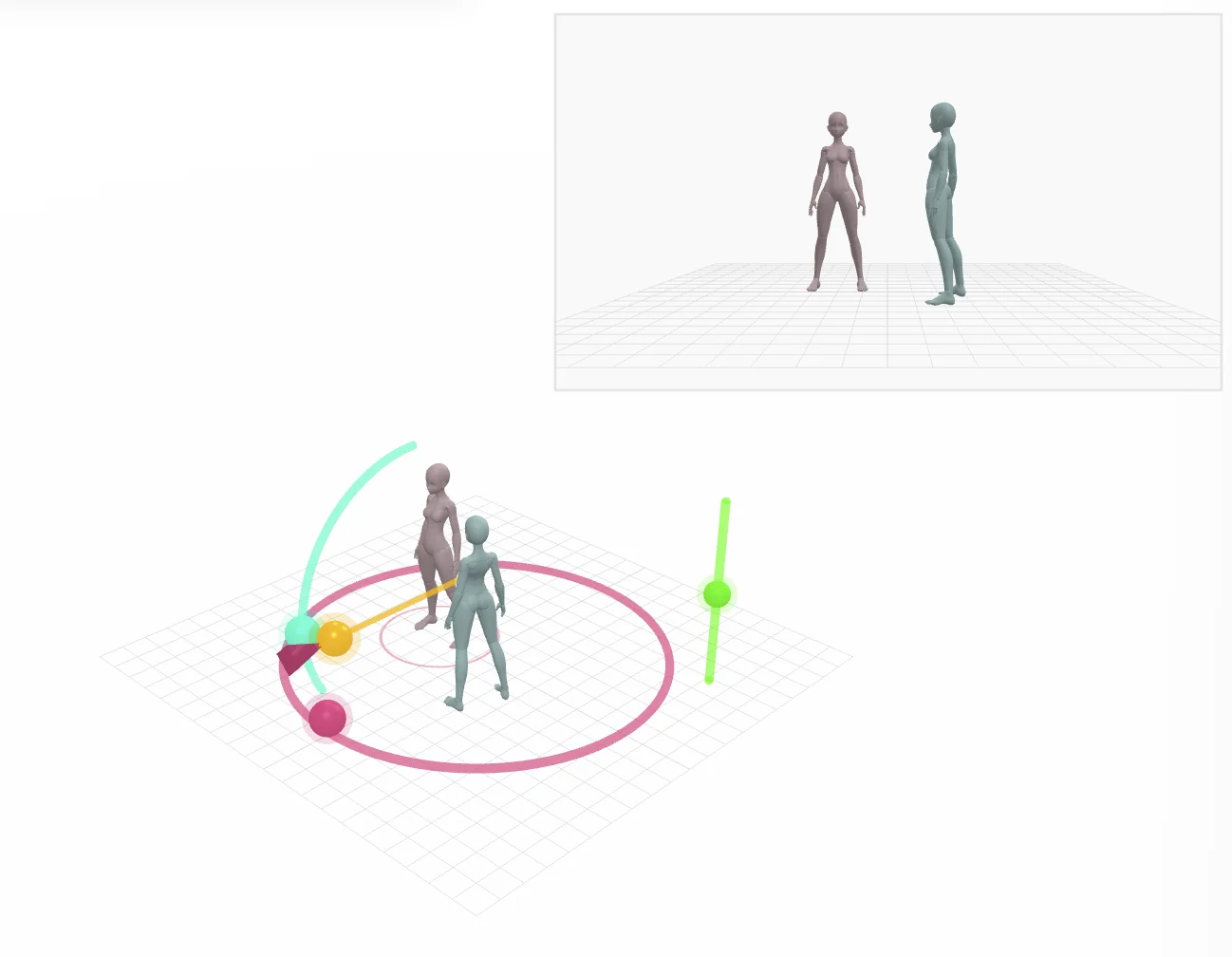
- 方位角:相机绕着人转。0° 是正面,90° 是侧拍,180° 就是背影啦。
- 俯仰角:机位的高低。想俯拍就用正值(比如 25°),想抬头仰视英雄就设成负值(比如 -25°)。
- 拍摄距离:相机离人有多远。系统会聪明地帮你对焦,保证人物在画面里的比例是刚好的。
画幅比例:定好你的画布
无论你是想拍一张正方形 (1:1) 的头像,还是宽银幕 (21:9) 的大片,我们都支持。切换时,3D 画布会实时显示安全框,保准你辛辛苦苦构的图不会被 AI 给裁掉。
Camera Control
The magic of 3D Vision Hub lies in its physics-based camera system. It’s built like a real film set—you can tweak focal length, azimuth, and distance to recreate practically any iconic shot you've ever seen on screen.
Optical Perspectives (Focal Length)
We’ve simulated lenses from 14mm to 135mm. Choosing a lens isn't just about zooming; it totally changes how space feels in your image:
- 14mm - 24mm (Ultra Wide): Massive perspective distortion. Perfect for epic landscapes or those intense, "look-up-to-the-hero" angles. It adds a serious sense of scale.
- 35mm - 50mm (Standard): This is what our eyes see naturally. It’s steady, reliable, and great for straightforward storytelling. Most portraits look great here.
- 85mm - 135mm (Telephoto): This "compresses" the background, making it feel closer to the character with beautiful blur (bokeh). Perfect for portraits where you want the character to pop.
Spatial Positioning
- Azimuth: Orbiting the character. 0° is head-on, 90° is a side profile, and 180° captures them from behind.
- Elevation: Get the camera high or low. Go positive (e.g., 25°) for a bird's-eye feel, or negative (e.g., -25°) to look up at your subject.
- Distance: How much room you're leaving. The system handles the focusing height so your framing stays sharp.
Framing & Aspect Ratios
From social media squares (1:1) to cinematic ultrawide (21:9), we’ve got you covered. The 3D viewport shows safe frames so you know exactly what’s going into the AI generator without unexpected cropping.